Install a modpack
A modpack is a whole curated set of mods bundled together. Installing one on the Modpacks page swaps your server over to it in a couple of clicks.

Installing
- Open the Modpacks page and click Browse.
- Find the pack you want and choose your version.
- Click install. We set up the pack, its mods and its recommended settings for you.
Before switching, we take an automatic snapshot of your current server, so you can always roll back from the Backups page if you change your mind.
Changing or removing a pack
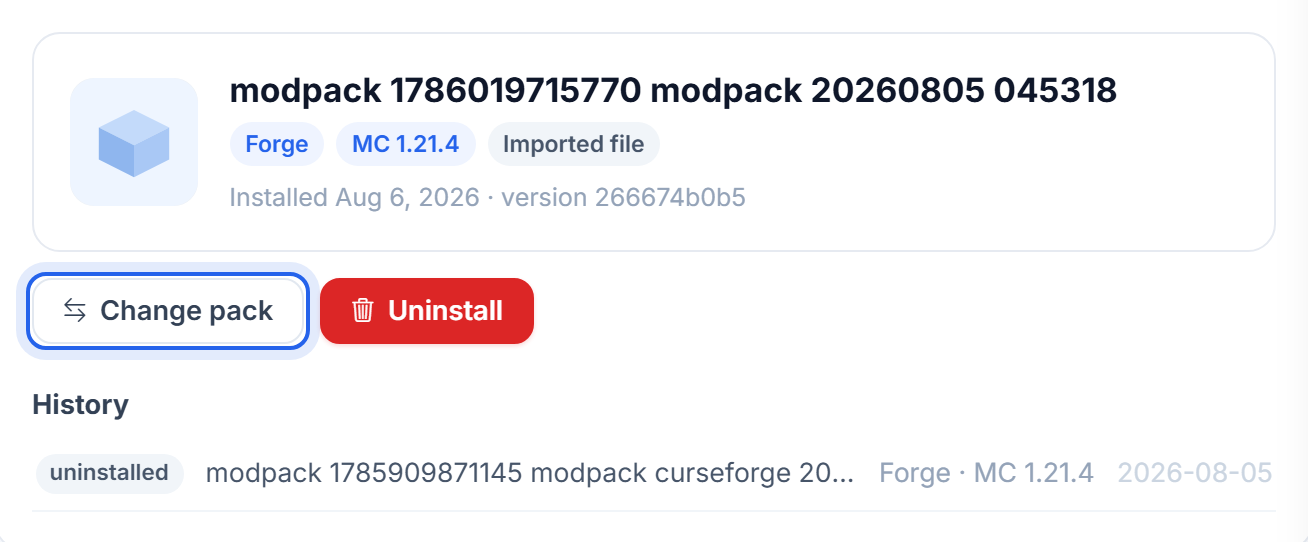
The Modpacks page remembers what is installed. Use Change pack to move to a different one, or Uninstall to go back to a plain server. Your install history is listed underneath, so you can see what changed and when.
Modpacks are heavier than a vanilla server. If a big pack feels slow, give it more memory. See Give your server more RAM.
Was this helpful?
Still need help? Contact support.