How to switch server software (Vanilla, Paper, Fabric, Forge)
Your server type decides what your server can run: plain Vanilla, plugins with Paper or Purpur, or mods with Fabric, Forge, NeoForge or Quilt. You can switch from the Settings tab and your world carries over.
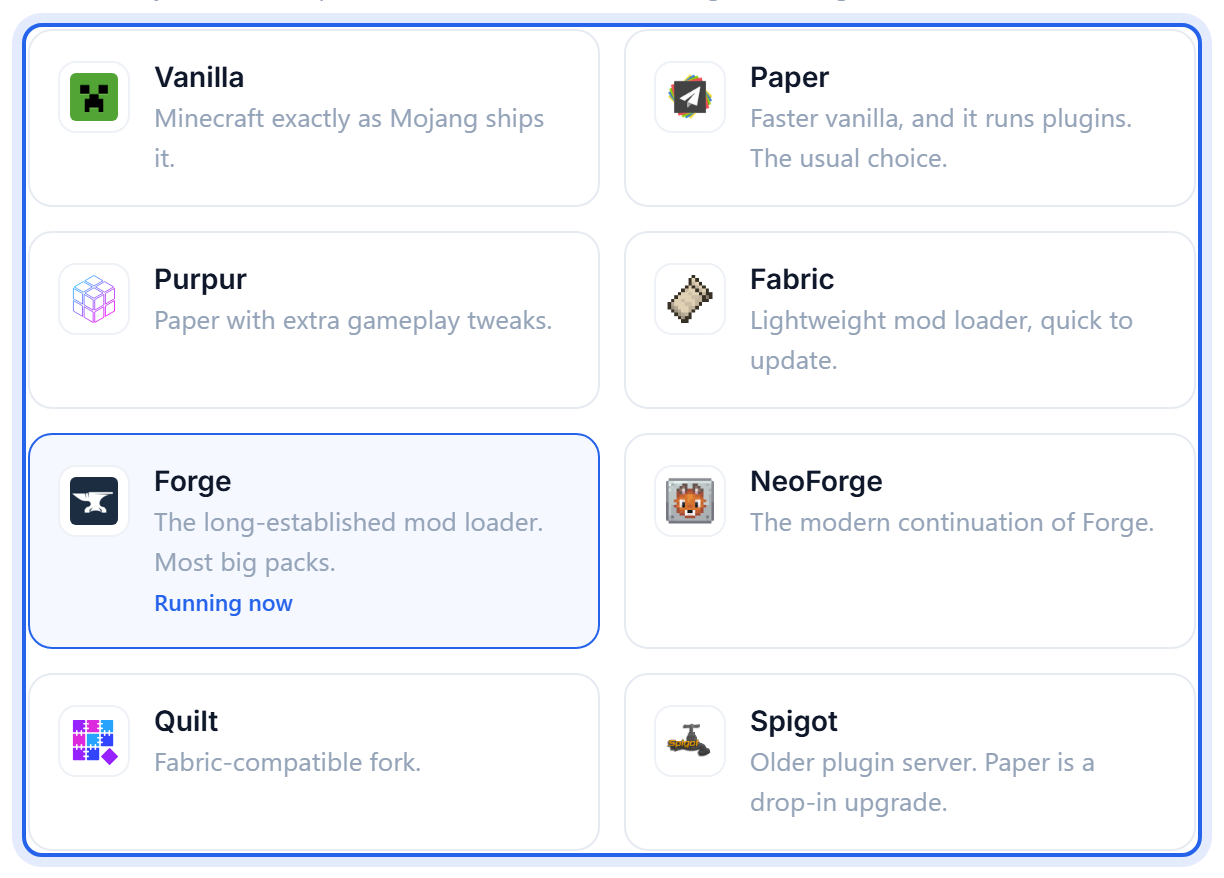
Change your type
- Back up first. See Back up and restore your world.
- Open the Settings tab and change the server type.
- Save, then Restart.
Your add-ons do not carry over
The world moves across. The things running on it usually do not, because plugins and mods are different formats:
- Paper or Purpur run plugins, which live in
plugins/. - Fabric, Forge, NeoForge and Quilt run mods, which live in
mods/. - Vanilla runs neither. Only datapacks work.
So switching Fabric to Paper leaves your Fabric mods sitting in a folder the new server never reads. Nothing is deleted, it simply stops loading. Switch back and they work again.
Moving from a modded type to Vanilla or Paper can leave blocks and items in your world that no longer exist. They usually show as air, and anything built from them is gone. Back up first is not boilerplate here.
Which should I pick?
- Vanilla for the plain game, exactly as Mojang ships it.
- Paper for a survival or SMP server. Same gameplay, better performance, and it accepts plugins.
- Fabric or Forge when you want mods, and specifically the loader your mods were built for.
See Paper, Fabric, Forge and Vanilla explained for the fuller comparison.
Was this helpful?
Still need help? Contact support.